
Matrix Setup
Step 1
Section titled “Step 1”You first need to create an account on my matrix server.
- If I haven’t yet sent you a token Send me a DM on Discord, or anywhere you can contact me and ask for a one-time Registration Token
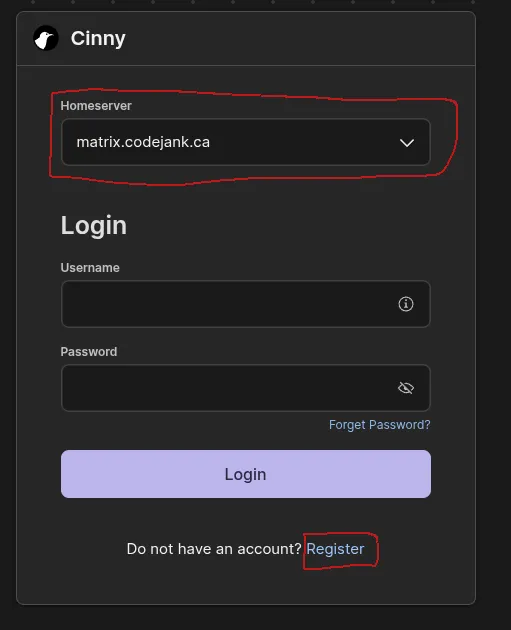
- Head to https://chat.codejank.ca and make sure
matrix.codejank.cais in the Homeserver field (it should be pre-filled, but double check!) - Click Register at the bottom
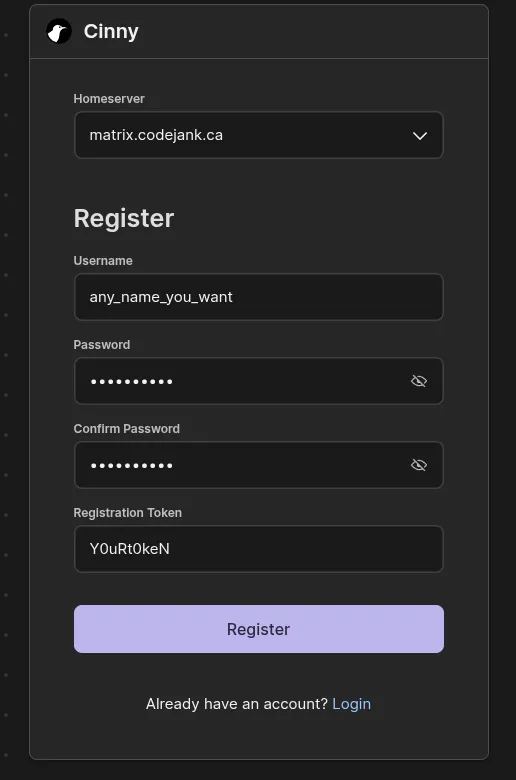
- Fill out the registration form, include the registration token I sent you in step 1.
- That’s it! You should have automatically joined the necessary rooms, but if you haven’t (or if you leave a room by accident) you can see all a list of rooms under the “explore” tab (it’s on the left, compass icon)
A note for advanced/curious users: Matrix is a protocol that normally allows you to sign up with an account on any provider,
and use that account to join Matrix “rooms” on other servers. The matrix.codejank.ca server is isolated which means
you can’t use a matrix.org or other homeserver account to join the nateflix rooms.
This is easier for me since I only need to host the Nateflix-related data on my server, and not the data from many other
rooms across the internet (which could contain bad things!).
Step 2 (optional but highly recommended)
Section titled “Step 2 (optional but highly recommended)”Using https://chat.codejank.ca in a browser is all you need, but if you want to get notifications from me if the server is having maintenance, and be notified of new arrivals (now only announced once a day!), you need to download a Matrix Client App.
Short explaination: Matrix is a protocol, like email, anyone who uses Matrix can choose from any available app that uses the protocol. Similar to how you in the days before GMail you could use Microsoft Outlook, Apple Mail, Mozilla Thunderbird, etc with the same email address.
In my opinion the best app on iOS and Android is FluffyChat: https://fluffy.chat/
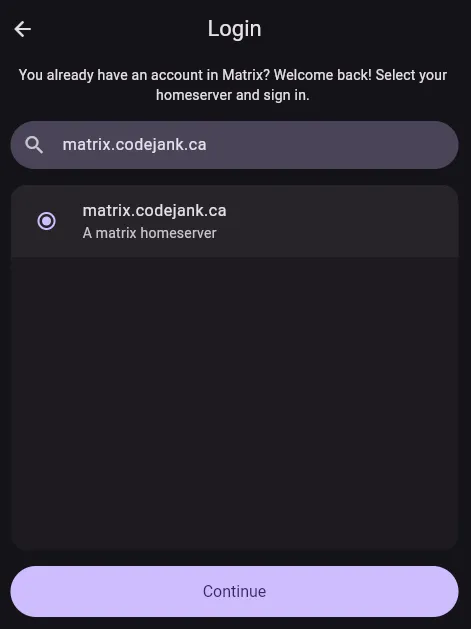
When you download the FluffyChat app (or any Matrix app) you need to enter matrix.codejank.ca as the Homeserver Address,
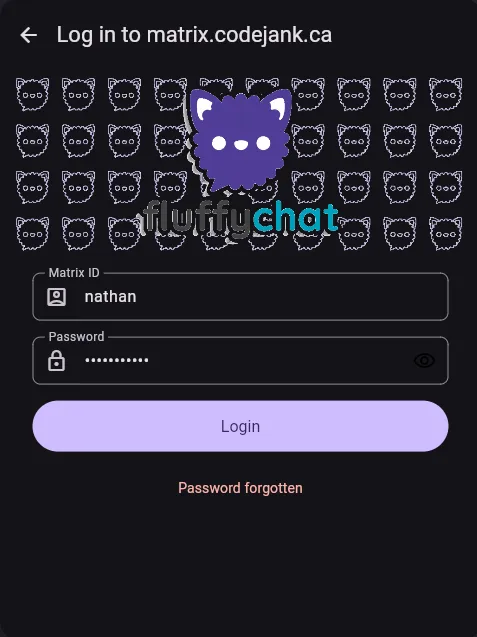
similar to how you would enter jellyfin.codejank.ca in a Jellyfin App. On the screen following that, you enter your username and password
that you signed up with in step 1.
FluffyChat screenshots:
For anyone curious, the full list of matrix clients is here: Matrix Clients